Skip to Content
Odrakir
the garden

An Odoo 19 module

Custom registration

website_event_custom_registration

Odoo OCA

Not every event sells its tickets in Odoo. Choose, event by event, how people get in: Odoo's own tickets, no registration at all, or a button out to your ticket shop.

sprouting in review at the OCA · pull request #506 · tests passing

Thirsty: waiting for a review at the OCA

Three ways in

One field, three leaves

Each event picks a single Registration Mode, so the page always knows what to show.

Native ticketing

Odoo's own tickets and registration, exactly as before. It's the default, and nothing changes.

Free / No registration

No tickets at all. A message you write in the editor stands where the register button was.

External registration

A button out to your ticket portal, opening in a new tab. Its label is yours to choose; until you do, it reads Get Tickets.

Tended details

The page never looks broken

  • One selection, not three modules. The modes live in a single field, so there are no clashing states in the form and no XPaths fighting over the same block.
  • No false alarms. While registrations are open, free and external events hide Odoo's Sold Out and Registrations Closed labels and the navbar's register link, so a page never looks broken for want of a native ticket.
  • An honest close. Once registrations close (the event has ended, sold out or been cancelled), Odoo's standard notice takes over, unless you switch on Keep Custom Text When Closed.
  • Everywhere the block appears. It covers the event page's main call to action, the desktop and mobile sidebar, and the event sub-menu.
  • A quieter backend. For free and external events the native seat limit turns read-only, and the registration statistics and attendee buttons step aside: there's nothing native to count.

Setting it up

Four steps in the event form

  1. Open the event

    Go to Events and open an event, or create one.

  2. Choose a Registration Mode

    In the Registration group:

    • Native ticketing: set up tickets as usual in the Tickets tab.
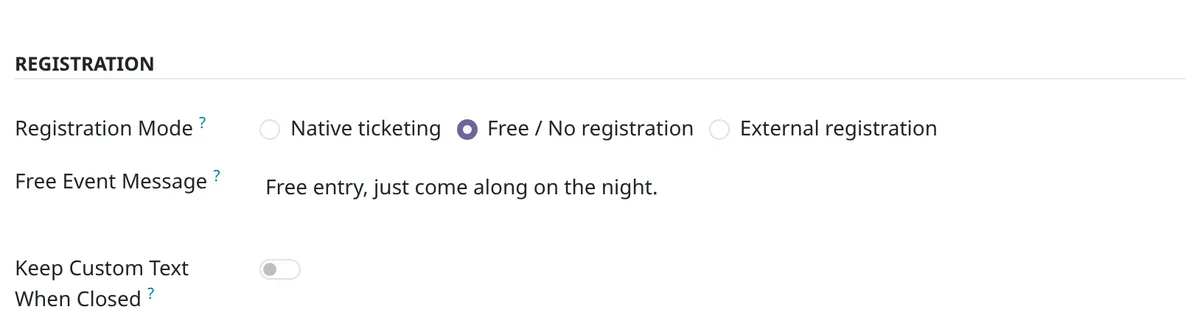
    • Free / No registration: write the Free Event Message visitors will see.
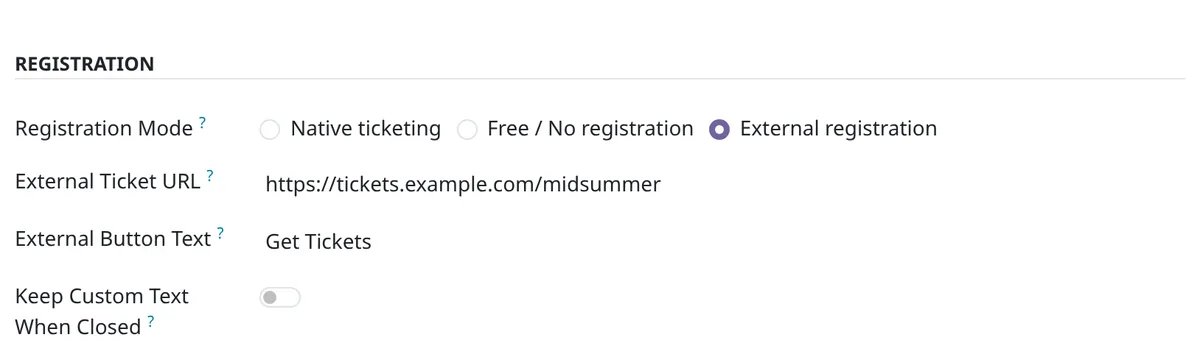
    • External registration: fill in the External Ticket URL and, if you like, the External Button Text.
    The event form's Registration group: Registration Mode set to External registration, with the External Ticket URL, the External Button Text and the Keep Custom Text When Closed switch.
    External registration: the ticket address and the button's label appear.
    The Registration group with Free / No registration chosen: the Free Event Message field holds the text visitors will see.
    Free / No registration: your message takes the button's place.
  3. Decide what happens at closing

    For free and external events, switch on Keep Custom Text When Closed to keep your message or button after registrations close, instead of Odoo's notice.

  4. Save and publish

    That's all: the public page adapts by itself.
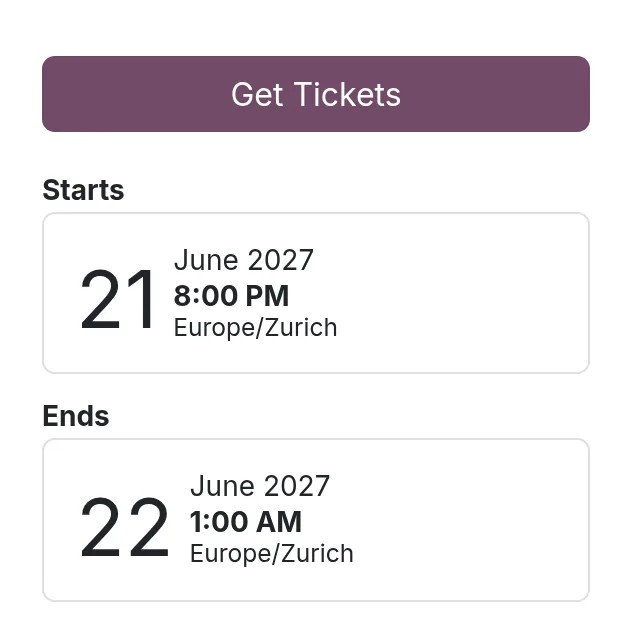
    The event page's sidebar: a Get Tickets button where Odoo's register button would be.
    External: a Get Tickets button, out to the ticket shop.
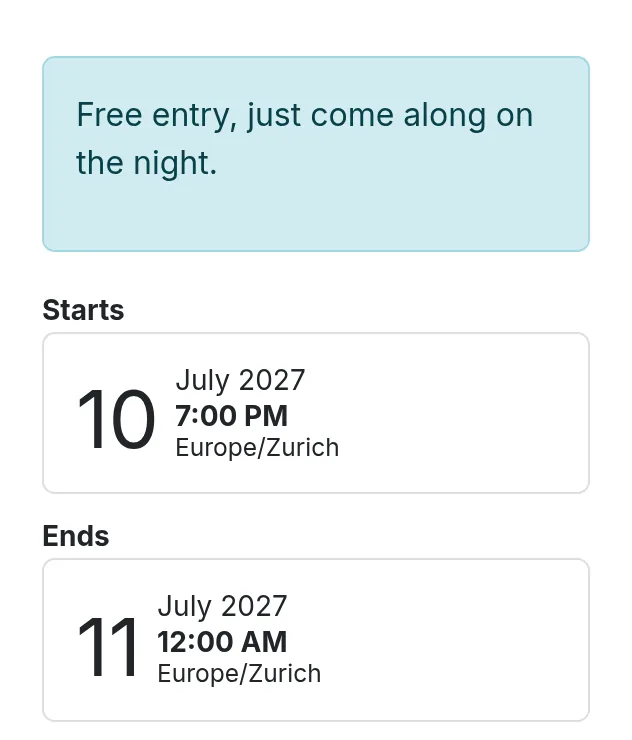
    The event page's sidebar: the free-entry message stands where the register button would be.
    Free: the message, and no ticket controls.

    Screenshots from a clean Odoo 19 with its default theme and only this module installed.

It grew on this site's own events page, where it still decides how each event lets people in.

Plant it

Into your addons

It's waiting for review at the OCA. Until it's merged, plant it from my fork; it's the same module.

  1. Take a cutting of the branch

    git clone --depth 1 --branch 19.0-add-website_event_custom_registration https://github.com/odrakirmusic/event.git
  2. Add it to your addons path

    Add the new event folder to addons_path in your Odoo configuration, then restart Odoo.

  3. Install it

    In Apps, choose Update Apps List, find Website Event Custom Registration, and install it. Or from a shell, with your database's name:

    odoo -d YOUR_DB -i website_event_custom_registration --stop-after-init

Is your Odoo installed with pip? Then it's one line:

pip install "git+https://github.com/odrakirmusic/event.git@19.0-add-website_event_custom_registration#subdirectory=website_event_custom_registration"

Once the OCA merges it, this page switches by itself to the released package, odoo-addon-website_event_custom_registration on PyPI.

The back of the packet

The small print

Licence
AGPL-3.0-or-later
Tags
Odoo OCA
Works with
Odoo 19.0
Needs
website_event
Status
sprouting in review at the OCA · pull request #506 · tests passing
Source
odrakirmusic/event branch 19.0-add-website_event_custom_registration
Pull request
OCA/event#506
Last tended
4 October 2026

Elsewhere in the garden

More seeds