A screenshot tool for GNOME
OctoSnap
io.github.odrakirmusic.OctoSnap
Capture, annotate and record the screen on GNOME. Every shot lands in a small card, ready to copy, save, pin or edit. And Omni, a pixel-art octopus, keeps you company on the desktop, never in your screenshots.
in bloom released · a signed Flatpak
What it does
Everything a capture needs
Built to the standard of the best macOS capture tools, rather than to the standard of what Linux had.
- Capture anything Area, window or whole screen on one key, with a pixel loupe.
- Quick Access cards Every shot lands in a card: copy, save, drag, pin or edit.
- Annotate Arrows, shapes, text, counters, highlighter and crop.
- Redact & spotlight Pixelate, blur or black out. Spotlight what matters.
- Backgrounds Gradients, wallpapers or blur behind any screenshot.
- Scrolling capture Scroll a long page; OctoSnap stitches it into one image.
- Text & QR codes Copy the text in any part of the screen, read on your own machine.
- Pin on top Float a capture above your windows, on every workspace.
- GIF recording Record, trim to the frame, share.
- Capture history Every capture kept, ready when you need it again.
-
Editable projects Save as
.octosnapand pick up where you left off. - Self-timer A countdown over the live screen, for menus and hovers.
On your desktop. Never in your screenshots.
Side by side
More than any other on GNOME
Set beside six other screenshot tools, and read from each one's code rather than its README.
See it
One toolbar, one card
Pick what to capture from one toolbar, then annotate, redact and finish it in the editor.
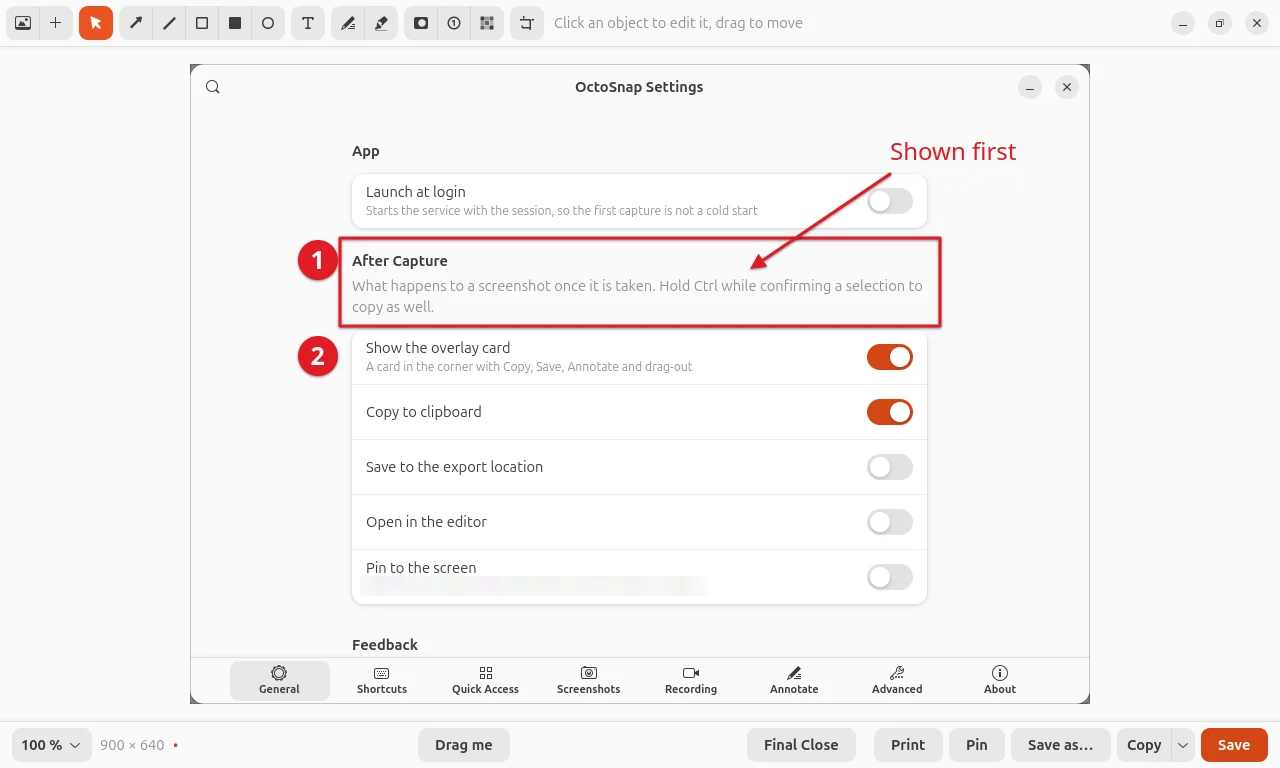
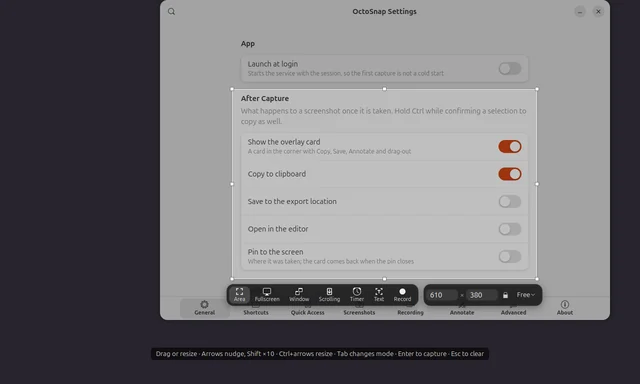
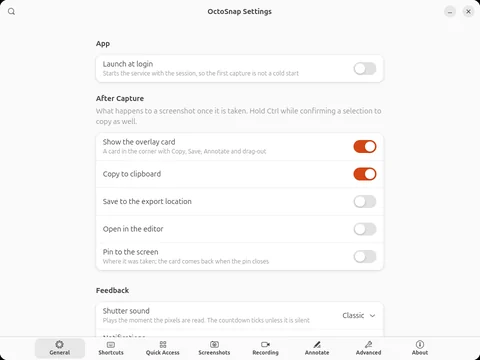
OctoSnap's own windows over a capture of its own Settings, made in a nested GNOME Shell at 1280 × 800, so nothing in them is anyone else's work.
Company on the desktop
Meet Omni
OctoSnap's octopus. Turn on Desktop Pets, and it glides along the bottom of your screen, sits on your pinned screenshots and reacts to what you capture.
- Never in a capture. Pets hide while you choose what to capture, walk out of a recording's area before it starts, and no screenshot or recording ever has one in it.
- Four friends. Pengu the penguin, Hops the frog, Morel the mushroom and Spud the potato, in six sizes from Tiny to Huge, from Silent to Lively.
- Pets of your own. A pet pack is a folder with a
sheet.pngand apet.json. Put it in~/.local/share/octosnap/pets/, and its pet gets a card in Settings → Pets.
Under the hood
Fast. Light. Built in Rust.
Measured, not promised.
15ms
from shortcut to the capture overlay
Capture Area, median of 10
0.28s
to open a 5K screenshot in the editor
5120 × 2880, median of 5
0.18s
to export a 5K image with 30 annotations
median of 5
46MB
of memory while it waits
idle, 10 s after start
Built in Rust
Rust 2024, with unsafe code forbidden in all eight of its crates.
Native to GNOME
GTK 4 and libadwaita, and a Shell extension in TypeScript that draws the overlay.
Text read on your machine
PaddleOCR models on ONNX Runtime. The network is used only to fetch a language pack, when you ask.
1,750 tests
All passing for 0.1.13: 1,135 in Rust, 611 for the extension, 4 for packaging.
Fuzzed
Property tests and six fuzzers on what it reads from outside: links, projects, GIFs.
Signed updates
Installs and updates from its own signed Flatpak repository.
The extension
On GNOME Wayland an ordinary app can't read pixels, grab a global key or place its own windows; GNOME's own screenshot tool can because it is Shell code. So one half of OctoSnap is a Shell extension, in TypeScript: the keys, the capture overlay, the pixels, window geometry, placing the app's windows, the clipboard and the sounds.
The app
The other half is a GTK 4 and libadwaita app in Rust, running as a background service: the cards, the editor, the recorder, the pins, the history, settings, text recognition and notifications. The two speak over D-Bus, and images cross between them as files, never as bytes.
How it was measured. On an everyday laptop, not a test rig: the installed Flatpak, timed on 12 October 2026 by pressing the real shortcuts and opening real editor windows. The build is OctoSnap 0.1.13's code, installed just before its release, so it still reports 0.1.12. Each figure is a median of what the app and its extension log about themselves: 10 presses of Ctrl+Alt+Super+A, 5 opens and 5 exports of a synthetic 5120 × 2880 picture, and memory 10 s after a fresh start with no window open. The laptop: a Lenovo ThinkPad T14 Gen 4, Intel Core i7-1355U (10 cores, 12 threads, up to 5.0 GHz), 16 GB of RAM, Intel UHD Graphics, its own 1920 × 1200 screen at 100 %, Ubuntu 26.04.1 LTS, GNOME Shell 50.1, Linux 7.0, on mains power.
OctoSnap is written by Claude, Anthropic's AI coding agent, under my direction. Each release's commit names the Claude models that wrote it.
Plant it
One line in a terminal
The Flatpak brings everything, its extension included, and keeps itself up to date from OctoSnap's own signed repository.
-
Install it
flatpak install --user https://odrakirmusic.github.io/OctoSnap/io.github.odrakirmusic.OctoSnap.flatpakrefOr open the
.flatpakrefin a software centre that installs Flatpaks. The runtime, GNOME 50, comes from Flathub. -
Let in its extension
Open OctoSnap from the app grid. The welcome window checks its GNOME Shell extension and installs it; log out and back in, and the next start turns it on. Then it can take over the Print Screen keys from GNOME's own screenshot tool.
-
Take a shot
- Ctrl+Alt+Super+A Capture Area: drag over what you want, and it is taken when you let go
- Ctrl+Alt+Super+W Capture Window: choose a window
- Ctrl+Alt+Super+Space All-In-One: the last area again, with a toolbar to adjust it and choose what to do
Or start from OctoSnap's menu in the top bar. The user guide has every shortcut and every tool.
Every release is signed, and Flatpak installs nothing its key did not sign. The key's fingerprint is BBCF EEBF BF63 B258 12FC D90E AB14 542B C463 67A7, and the key itself is octosnap.gpg.
Updates come from the same repository, three ways: Software, flatpak update, or OctoSnap itself, which says once when a newer release is out.
Installed from a release's .flatpak file of 0.1.8 or older? That copy updates from nowhere. Uninstall it first, which keeps your settings and history, then install it as above:
flatpak uninstall --user io.github.odrakirmusic.OctoSnapTo build it yourself, natively or as a Flatpak, the README has every step.
To dig it up again: the extension, the app, then its repository.
gnome-extensions uninstall octosnap@odrakirmusic.github.ioflatpak uninstall io.github.odrakirmusic.OctoSnapflatpak remote-delete --user octosnapHonest limits
What it doesn't do yet
- GNOME 50 on Wayland. Its extension also declares GNOME 48 and 49, which haven't been tested, and no other desktop.
- Not on Flathub or extensions.gnome.org yet. Both pieces come from OctoSnap's own repository and its releases.
- GIFs, not video. It records GIFs with no sound, and it uploads nowhere.
- English only, for now.
- One licence, with one exception. OctoSnap is GPL-3.0-or-later; its GIF encoder, gifski, is AGPL-3.0-or-later, so a build carries both.
Issues and pull requests are welcome. A pull request is carried into the next release, with you as its author.
The back of the packet
The small print
- Licence
GPL-3.0-or-later- Tags
- Linux Rust
- Works with
- GNOME 50 on Wayland
- Needs
- Its GNOME Shell extension, which the app installs for you
- Status
- in bloom released · a signed Flatpak
- Source
-
odrakirmusic/OctoSnap - Latest release
v0.1.13- Last tended
- 12 October 2026
Elsewhere in the garden